02 - Benchmark a Neural Network (ONNX)
In this tutorial, we will walk you through benchmarking the individual layers of a neural network.
For this, we will compile an ONNX model using our ML compiler docc-ml and instrument the model layer-wise.
Step 1: Create a GitHub Repository
Start by creating a new GitHub repository. For this guide, we’ll name the repository benchmark-onnx.
- Go to GitHub and create a repository named
benchmark-onnx. - Clone the repository locally:
git clone https://github.com/<your-username>/benchmark-onnx.gitcd benchmark-onnxStep 2: Upload Your ONNX Model
Large files such as models can be used in the benchmarks by first uploading them to our storage. Each repository comes with a unique storage on our platform.
For this tutorial, you can use the squeezenet model from the Netron examples.
On the Storage tab, click on the Upload button to upload the model.

Files uploaded to the storage can be used inside benchmarks with the prefix /data.
Step 3: Define a Workflow
Create a directory called .daisy/ at the root of your repository:
mkdir .daisyInside .daisy/, create a workflow file named benchmark-onnx.yml with the following configuration:
on:  push:    branches:      - main  pull_request:    types: [opened, reopened, synchronize, ready_for_review]
parameters:  timeout: 20  partitions:    - tansy
steps:  build:  run:    squeezenet:      model: /data/squeezenet1.0-3.onnx      measurements: 1
Instead of the classical command parameter, this workflow specifies model for the benchmark.
This mode instruments the model and measures the performance layer-wise.
NOTE: The
modelexpects a path to the model. Files uploaded to the storage can be used inside benchmarks with the prefix/data.
NOTE: The
modelmode is still experimental and runs the model on randomly-generated inputs. We are working on supporting inputs uploaded to the storage.
Step 4: Upload your ONNX Model
You can use this ONNX model to run this benchmark.
Navigate to the Daisytuner Web App and enter the Storage area.
Click on the Upload button and upload the ONNX file specifying the AI model.
Step 5: Commit and Push the Changes
Commit the files and push them to GitHub:
git add.daisy/benchmark-onnx.ymlgit commit -m "Add onnx workflow"git push origin mainStep 5: Run Your AI Benchmark
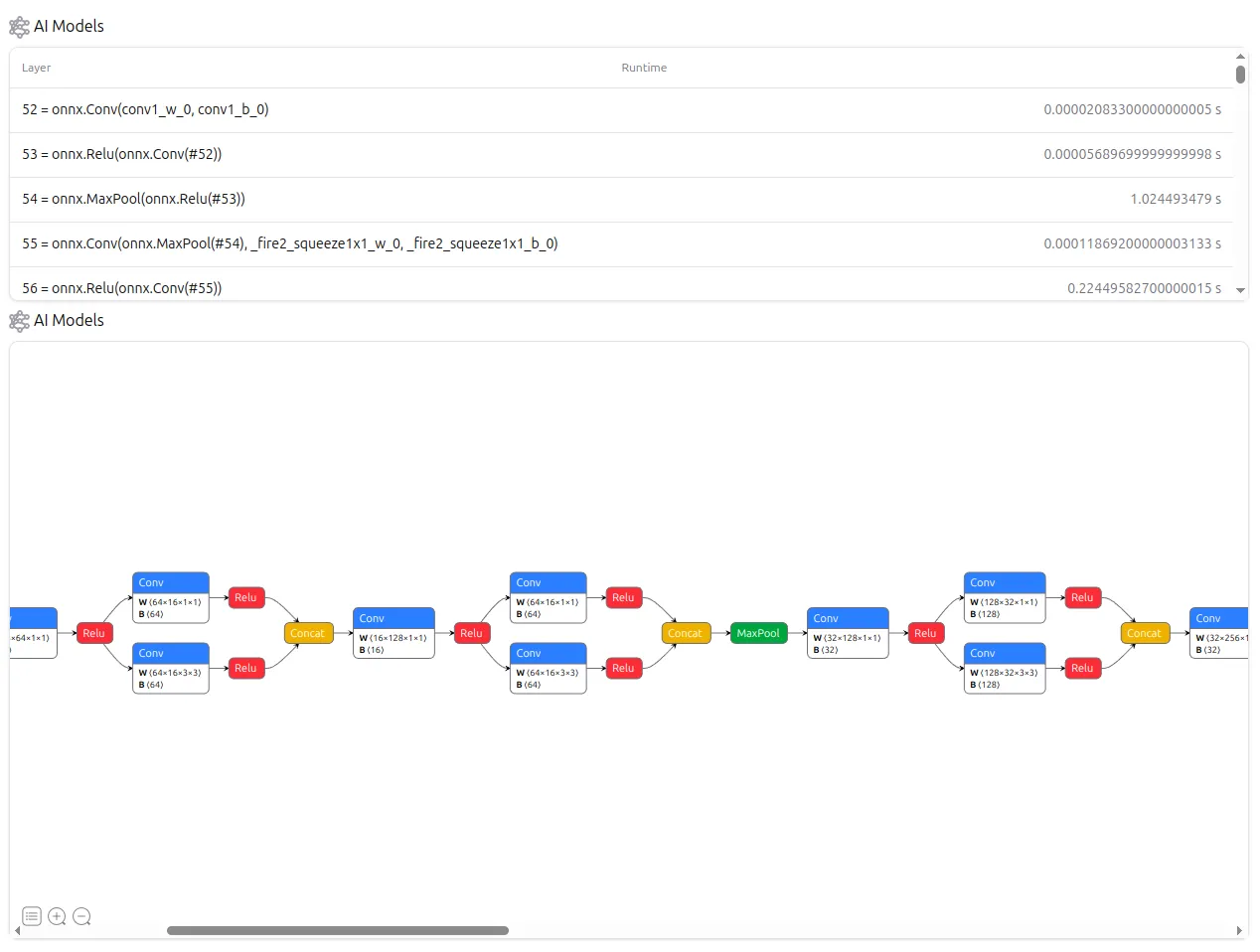
Navigate to AI Models. Here, you can see the different layers of your ML model and the time spent in each layer.